Make Lemon Blossoms a Preferred Source on Google
Can I let you in on something a little frustrating? Even when you love a recipe site, there’s no guarantee Google actually shows it to you. Search has gotten noisy – big brands, AI-spun articles, page after page of stuff you never asked for – and the sites you trust most can get buried.
Here’s the good news: you get a say. Google has a free setting called Preferred Sources that lets you tell Search which sites you trust, so their recipes rise toward the top of your results. It’s free, it takes about two taps, and it works for any site you love – not just mine.
(Though, yes – I’d be honored if we made your list. 🍋)
What “Preferred Sources” actually does
It’s a free Google Search setting – nothing to download, nothing to pay. When you mark a site as a preferred source, Google starts showing more of that site’s fresh, relevant articles near the top when you search related topics. You still see everything else – your picks just get a head start. Think of it as handing Google a short list of the cooks you actually trust.
Why I think it’s worth two taps
- You find what you trust, faster. Less scrolling past sites you’ve never heard of to reach the ones you came for.
- You stop missing the good stuff. New dinners, drinks, and desserts from your favorites surface sooner.
- You stay in charge. Add or remove sites whenever you want. It’s free, and it’s completely reversible – no commitment, no catch.
The fast way (truly two taps)
Tap the button below while you’re signed in to your Google account, then check the box next to Lemon Blossoms:
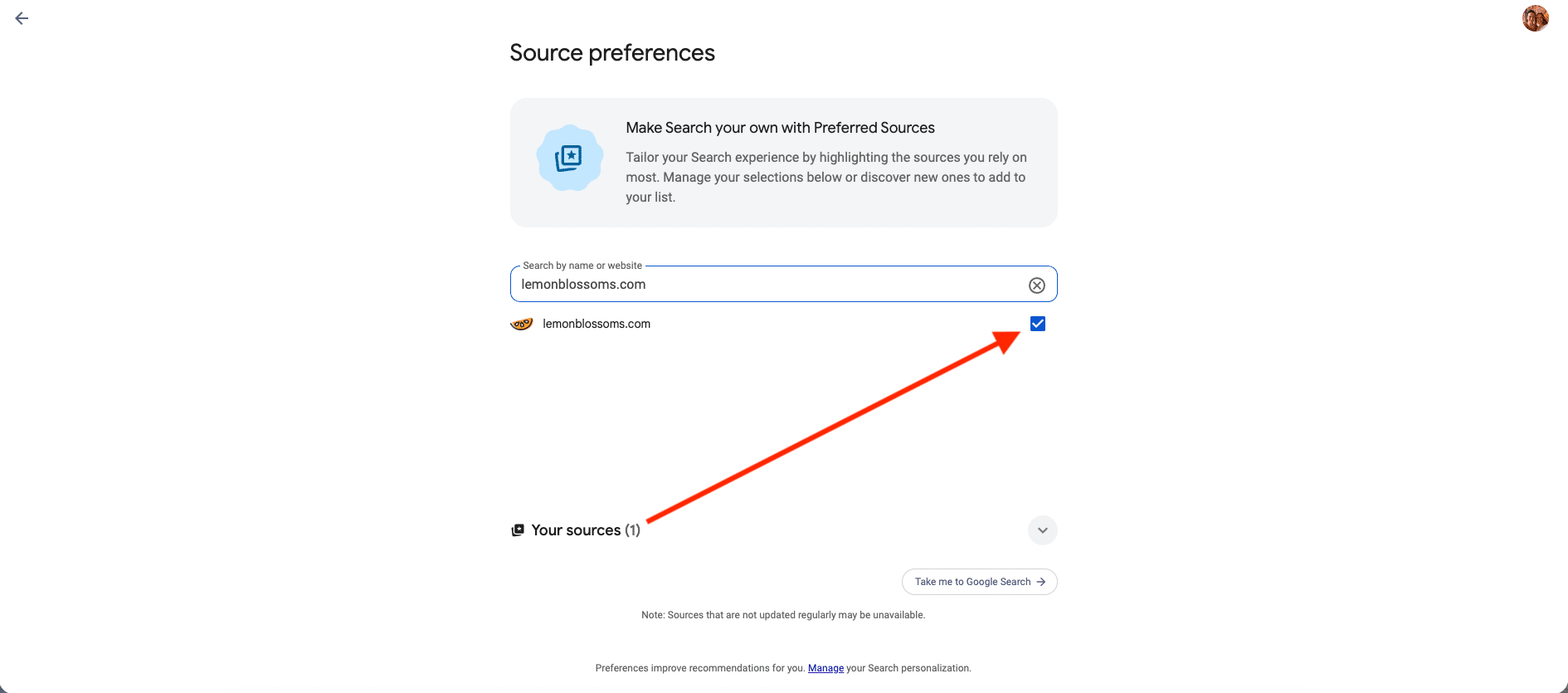
That’s it. You’re done.
The do-it-yourself way (also easy)
If you’d rather set it up by hand – or add a few other favorites while you’re in there:
- Open google.com or the Google app and make sure you’re signed in.
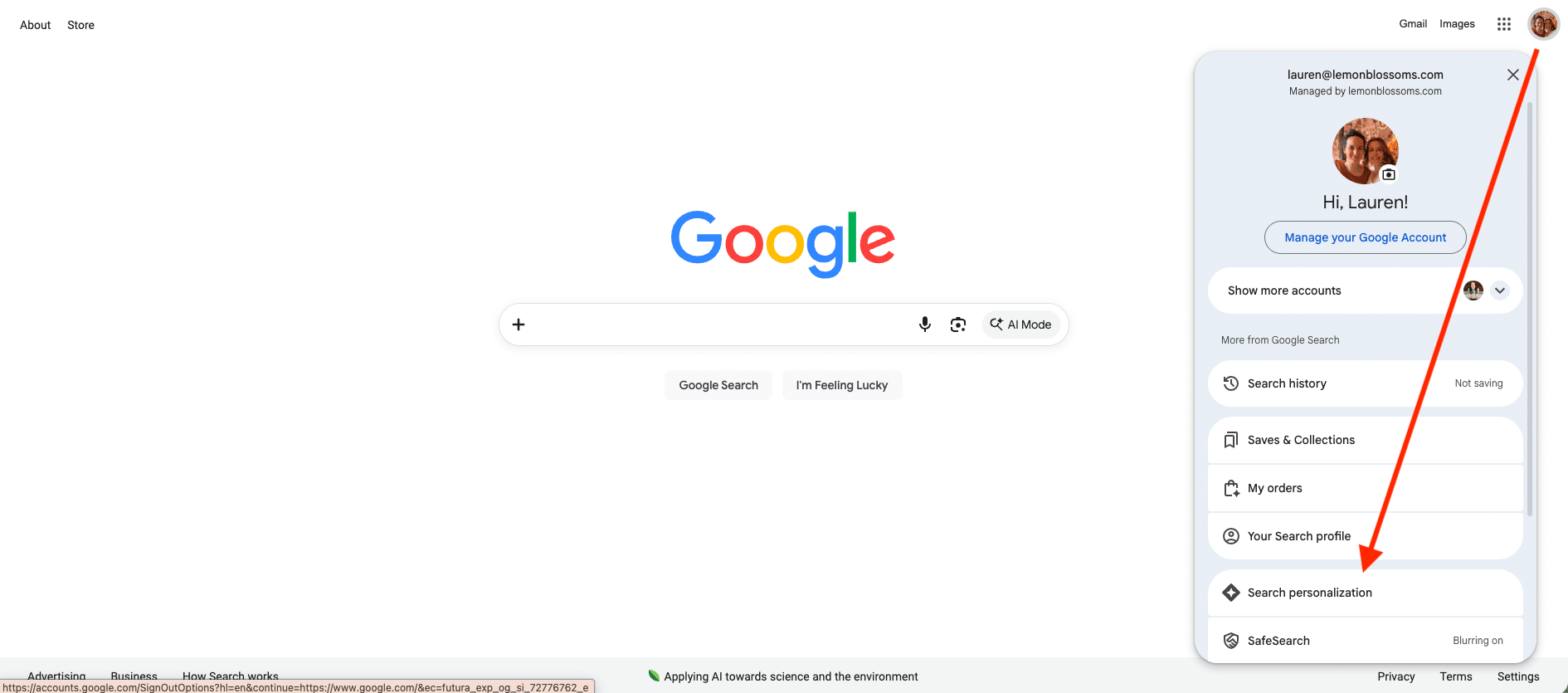
- Tap your profile picture in the top right.
- Choose Search personalization.
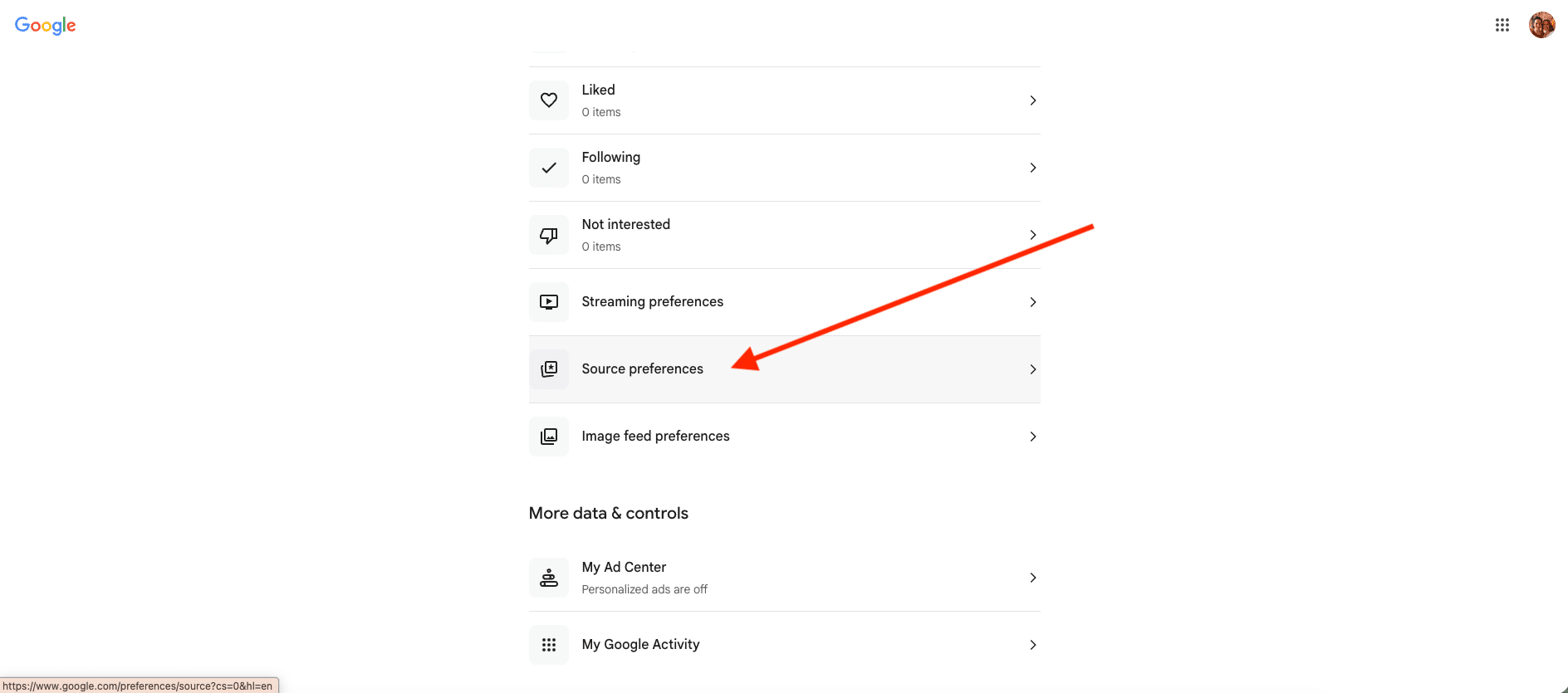
- On the resulting page, select Source preferences.
- Type lemonblossoms.com in the search box.
- Check the box next to our name – and add any other sites you love while you’re there.
A few honest notes
- You’ll need to be signed in for this to work, and your choices follow you across your devices.
- There’s no limit. Add every site you trust – I hope we’re one of them, but truly, fill it up.
- Changed your mind? Pop back into Source preferences anytime and remove whatever you like.
That’s the whole thing – a small bit of control over what your search puts in front of you. Which feels about right for a place that’s all about cooking with a little more intention.
Thanks for cooking with us. 🍋
P.S. This page only exists because you asked for it. It grew out of a question I put to the community back in June – and the thing most of you wanted was simply to know this was free and easy. Every so often I share what you tell me, and what we do about it. Here’s June’s edition.